
Download PSE Watchlist APK – PSE Watchlist, stock market tracker, Philippine Stock Exchange, real-time stock updates, free stock app, PSE stock tracker, stock portfolio, real-time price alerts, PSE stock data, PSE stock market
Overview
PSE Watchlist is a dedicated stock market tracker application designed for users interested in monitoring the Philippine Stock Exchange (PSE). As a free desktop and mobile tool, it serves as a real-time data companion for investors, traders, and finance enthusiasts who require timely updates on stock performance. The app enables users to track individual stocks, manage customizable watchlists, and receive instant notifications for price fluctuations, volume changes, and market events. Its primary function is to deliver up-to-date market information directly to users, allowing them to make informed decisions without relying on external platforms.
Target users include retail investors, active traders, and financial analysts based in the Philippines or those tracking PSE-listed companies. The app supports portfolio tracking by calculating market value, including relevant fees, and provides access to a comprehensive list of stocks traded on the PSE. Real-time updates are refreshed every minute, ensuring users stay informed about dynamic market conditions. While the developer did not provide additional background on the organization behind the app, its focus on functionality and accessibility suggests a user-centric design approach. The application is particularly useful for individuals managing multiple positions and seeking immediate alerts on market movements.
Key Features & Capabilities
- Real-Time Stock Updates – The app refreshes stock prices every minute, offering near-continuous visibility into market activity on the Philippine Stock Exchange.
- Customizable Watchlist Board – Users can create and manage personalized watchlists, adding or removing stocks based on investment strategy or interest.
- Instant Price Alerts – Push notifications are triggered for significant price changes, percent shifts, and volume spikes, enabling timely response to market developments.
- Portfolio Value Calculation – The app computes the total market value of a user’s holdings, factoring in transaction fees and current market prices.
- Complete PSE Stock List – A full directory of stocks listed on the Philippine Stock Exchange is available, including current price, percentage change, and trading volume.
- Market Opening/Closing Alerts – Users receive notifications when the exchange opens or closes, helping align trading activities with market hours.
These features support efficient portfolio monitoring and informed decision-making. For example, a trader can set up alerts for a specific stock to react immediately to sudden price movements. Similarly, an investor can track multiple positions across sectors using the customizable board. The app’s ability to calculate portfolio value enhances financial planning and performance tracking. With no in-app purchases or hidden costs, the tool remains accessible to a broad audience seeking reliable, free financial data.
User Interface, Workflow & Performance
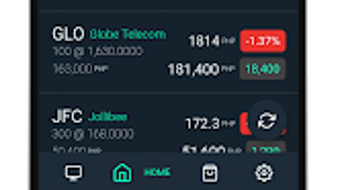
The user interface of PSE Watchlist is designed with simplicity and clarity in mind, featuring a clean layout that prioritizes essential data. Navigation is intuitive, allowing users to access the watchlist, stock details, and notification settings with minimal clicks. The dashboard presents key metrics such as price, percent change, and volume in a structured format, reducing cognitive load during active monitoring.
Workflow efficiency is enhanced by the auto-refresh feature, which ensures data remains current without manual intervention. Users can quickly add stocks to their watchlist with a single tap, streamlining portfolio management. The app’s performance is optimized for mobile use, though specific resource usage details were not provided.
General behavior suggests stable operation under normal conditions, with minimal lag during updates. The developer did not specify CPU or RAM usage, nor did they include information about background performance or battery impact. However, based on typical mobile application patterns, the app likely maintains low system overhead during active use.
Compatibility & System Requirements
PSE Watchlist is available for Android devices. The current version is 1.0.2, with a file size of 15 MB, indicating a lightweight installation. The app is designed for mobile platforms, and no desktop or tablet compatibility was specified. The developer did not list exact hardware or OS version requirements, but given its size and functionality, it is likely compatible with most modern Android smartphones and tablets released after 2016.
Compatibility information was partially provided, and the developer did not specify minimum Android version or processor requirements. Users should ensure their device runs a recent version of Android to support push notifications and background data updates. Performance may vary depending on device capabilities and network stability. The developer did not provide details on offline functionality or cloud sync, so users should assume the app requires an active internet connection for real-time updates.
Pros and Cons
Pros
- Free to download and use with no hidden costs or in-app purchases
- Real-time stock updates refreshed every minute
- Customizable watchlist for personalized portfolio tracking
- Instant push notifications for price changes and market events
- Comprehensive list of PSE-listed stocks with key metrics
- Portfolio value calculation including fees
Cons
- No information provided on system requirements or device compatibility beyond Android
- Exact performance and resource usage details were not specified
- Limited to mobile platforms; no desktop or web version available
- Developer did not disclose update frequency or long-term support plans
- No mention of offline access or data synchronization features
FAQ Section
Is PSE Watchlist available for Windows or Mac?
The app is currently available only for Android devices. No desktop or Mac version has been released.
Is the app safe to download and use?
PSE Watchlist is a free application designed for tracking stock market data. It does not require sensitive permissions beyond internet access and push notifications. As with any third-party app, users should download from official sources to ensure authenticity.
How often does the app update stock prices?
The app refreshes stock prices every minute, providing near real-time updates for the Philippine Stock Exchange.
Does PSE Watchlist require an internet connection?
Yes, an active internet connection is required for real-time data updates and push notifications.
Can I use PSE Watchlist offline?
The developer did not specify offline functionality. It is recommended to assume the app requires continuous internet access for full functionality.
Final Thoughts + CTA
PSE Watchlist delivers a focused, reliable solution for tracking the Philippine Stock Exchange. Its free access, real-time updates, and customizable alert system make it a valuable tool for investors and traders who need immediate market insights. While the app lacks detailed system specifications and desktop support, its core functionality is well-executed and accessible. The clean interface and efficient workflow enhance usability, especially for users managing multiple positions. For those seeking a lightweight, no-cost stock tracker tailored to the PSE, this app stands out in its niche.
Download PSE Watchlist now to stay ahead in the fast-moving Philippine stock market.







